How Do Wireless Mice Work? Everything You Need to Know
Wireless mice have revolutionized the way we interact with computers. They eliminate clutter, offer mobility, and now — thanks to advances in technology — rival their wired counterparts in performance. But how do wireless mice work, and what makes them so efficient today? In this guide, we’ll break it down into five essential areas, all supported by peer-reviewed research and modern technology insights.
Core Technologies Behind Wireless Mice
At the heart of every wireless mouse is a communication technology that transmits user input (movement, clicks) to the computer — without a cable.
Three Main Wireless Technologies
- Bluetooth: A leading choice for modern devices, Bluetooth provides low-energy consumption, two-way communication, and good resistance to interference. It’s standardized across many devices and works well without a dedicated receiver (Wu, 2002).
- RF (Radio Frequency): Typically operates on the 2.4GHz band using a USB dongle. RF mice tend to offer lower latency and more stable performance, making them popular in gaming and professional setups (Thamayanthi, 2008).
- Infrared: Once common, IR technology has fallen out of favor due to its requirement for direct line-of-sight and higher sensitivity to light interference (Lim et al., 2008).
All these technologies convert mouse actions into encoded wireless signals, which the computer then receives, decodes, and processes instantly.
Inside a Wireless Mouse: Key Components and Functionality
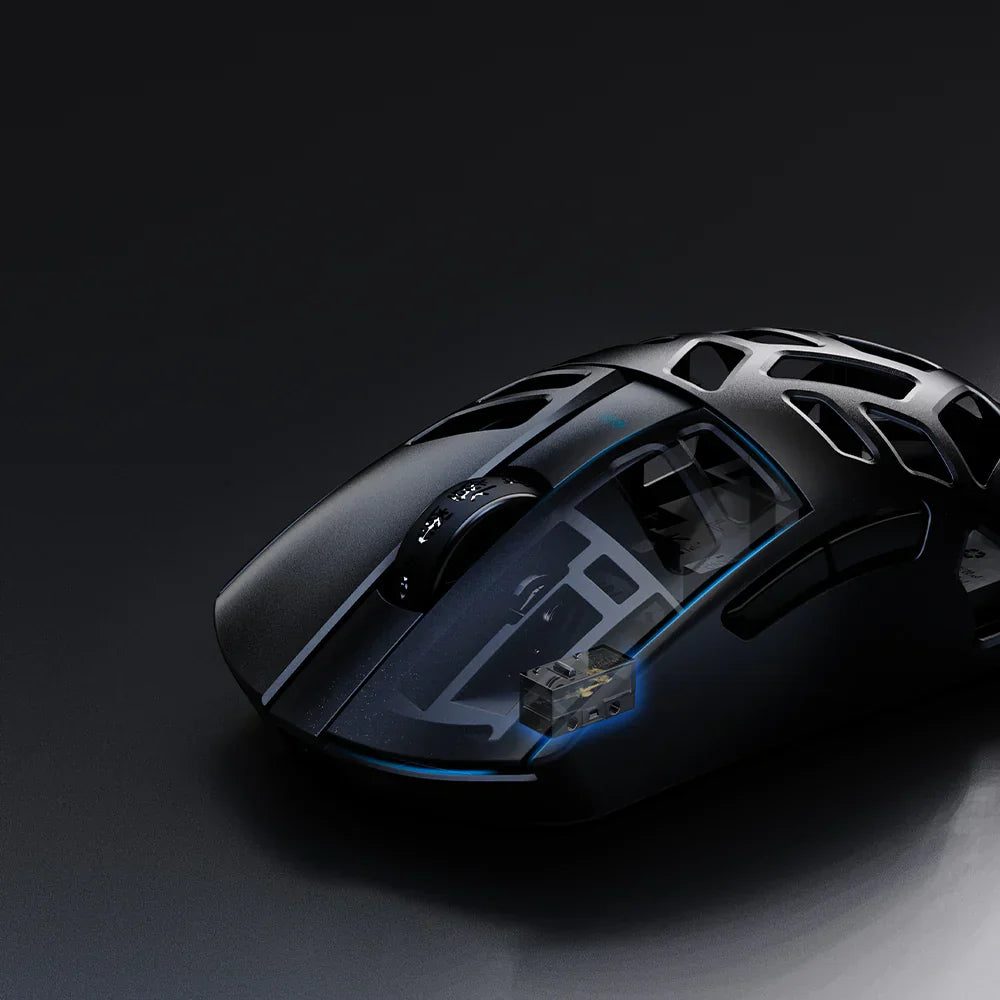
A wireless mouse is more than just a shell with buttons. It’s packed with precision hardware that makes real-time input possible.
Main Components:
- Optical or Laser Sensor: Tracks surface movement using reflected light. Laser sensors offer higher sensitivity and can work on more surface types.
- Microcontroller: Acts as the brain, processing movement data and preparing it for transmission.
- Wireless Transmitter: Sends the data to the receiver via Bluetooth or RF.
- Battery (Rechargeable or Disposable): Powers all components.
- Buttons & Scroll Wheel: Translate physical actions into digital commands.
When you move the mouse or click a button, the microcontroller interprets these actions, and the transmitter sends the data to your computer. It's an incredibly fast and seamless process, aided by advanced signal encoding techniques.
Movement Tracking and Sensitivity (DPI Explained)
One of the most talked-about specs in any mouse is DPI (dots per inch) — a measure of sensitivity.
- Higher DPI means the cursor moves farther on the screen with less physical movement.
- Lower DPI provides better precision, ideal for tasks like photo editing or accurate pointing.
In gaming, researchers have found a strong relationship between mouse sensitivity and performance. Higher DPI, when balanced with in-game sensitivity (eDPI), can enhance aiming precision and speed (Prajapati et al., 2024).
Most wireless gaming mice today allow on-the-fly DPI switching, offering better control across different applications — from casual browsing to high-speed gaming.
Latency and Performance: Wireless vs Wired
Historically, wireless mice were seen as slower or less responsive than wired ones. But is that still true?
Modern Wireless = Low Latency
Top-tier wireless mice now achieve 1–2 ms latency, almost identical to wired mice.
RF-based mice often perform better than Bluetooth in terms of latency and stability, making them suitable for gaming environments (Long & Gutwin, 2019).
However, interference can still pose problems in poor environments — such as near Wi-Fi routers or microwaves. That’s why RF mice often come with adaptive channel selection and frequency hopping to mitigate these issues (Xiang, 2006).
For most users — including gamers — modern wireless mice now deliver performance nearly indistinguishable from wired options.
Power Management and Battery Efficiency
Wireless mice rely on batteries, so power efficiency is a key factor in their design. Depending on the model, a wireless mouse can be powered by:
- Rechargeable lithium-ion batteries
- Replaceable AA or AAA batteries
Power-Saving Features:
- Auto Sleep Mode: Shuts down non-essential functions during inactivity.
- Wake-on-Move: Reactivates the device with minimal delay.
- Smart Polling Rates: Dynamically reduces data transmission rate when idle to save energy (Wu, 2002).
Some newer models even feature wireless charging docks, allowing for continuous charging during use — a trend that’s growing in popularity as devices move toward complete wireless ecosystems.
Final Thoughts
So, how does a wireless mouse work? Through a smart combination of motion sensors, microcontrollers, wireless transmitters, and energy-saving tech, all working together in milliseconds. The result is a device that delivers freedom, performance, and precision — no wires required.
With continued advancements in RF, Bluetooth, battery life, and latency reduction, wireless mice are now serious contenders in both everyday productivity and high-performance gaming.
References:
- Lim, K., Kwon, K., Park, H., Kim, J., Kim, S., Sung, J., & Baek, K. (2008). Design an infrared wireless optical mouse system and a dual-band infrared receiver. 2008 15th IEEE International Conference on Electronics, Circuits and Systems, 810-813.
- Long, M., & Gutwin, C. (2019). Effects of Local Latency on Game Pointing Devices and Game Pointing Tasks. Proceedings of the 2019 CHI Conference on Human Factors in Computing Systems.
- Prajapati, V., Turlapaty, A., Sarma, H., & Ghorai, M. (2024). Relating Muscle Activity and Mouse Sensitivity in FPS Game Players Using Surface EMG Signals. 2024 5th International Conference on Biomedical Engineering (IBIOMED), 163-168.
- Thamayanthi, T. (2008). Electronic token system using RF technology.
- Wu, Z. (2002). Wireless keyboard and mouse device based on Bluetooth. , 4911.
- Xiang, Z. (2006). Principle and Implementation of Auto-adapted Multichannel Wireless Transceiver. Journal of Hangzhou Dianzi University.